
Footprints
Footprints is a browser extension to help users visually retrace their steps on the browser.
Footprints is my capstone project for Purdue MS in UX Design. This project includes user research, comparative analysis, iterative prototyping, and usability testing.


What is the problem?
“ It happens a lot when I am doing research and I am finding different sources. It is usually in different tabs. Sometimes I forget why I left the tab open, or why I thought the source was good. It’s something that I might have thought was interesting. I should have made a note of but I didn’t.”
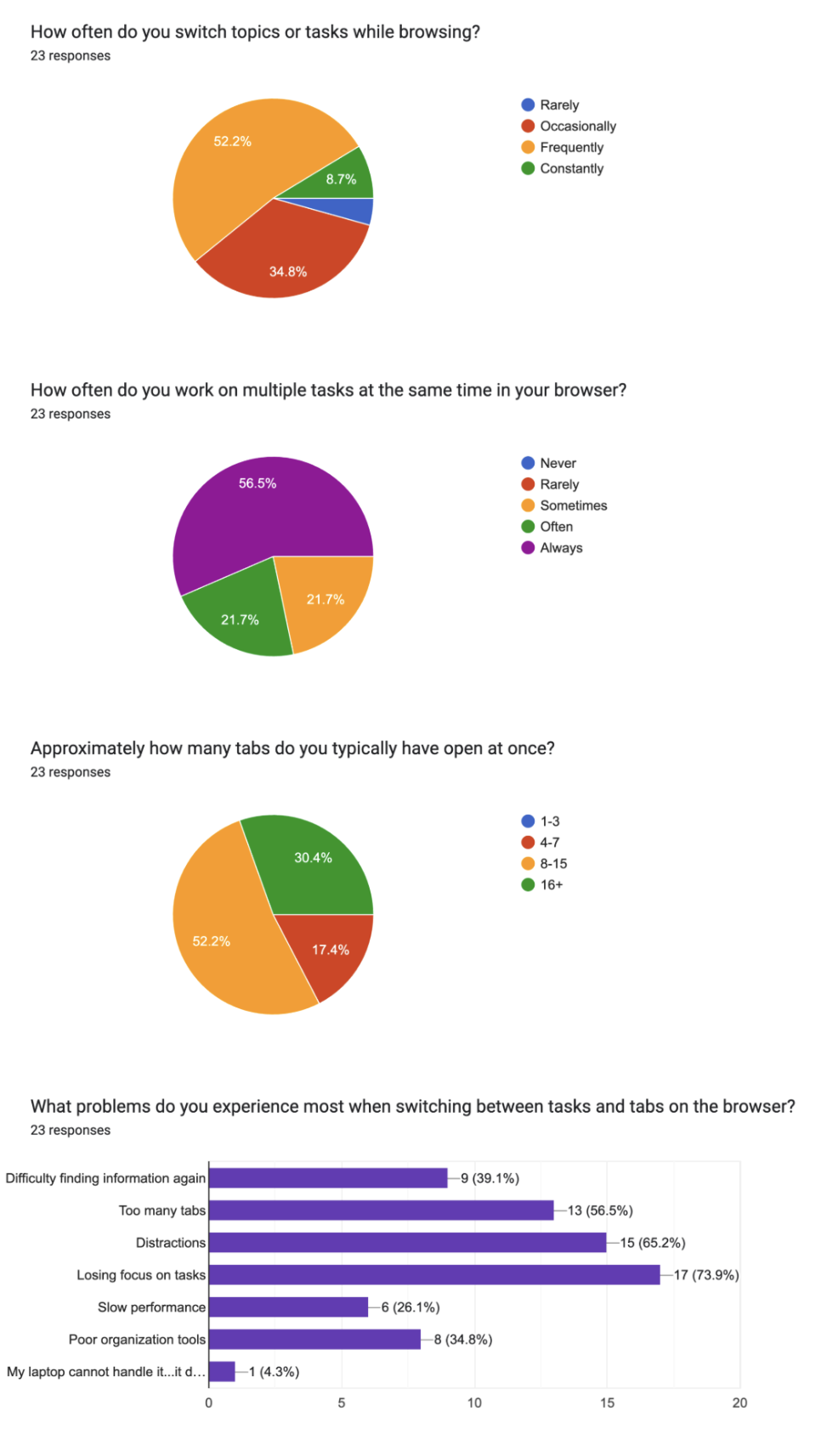
Identified key user pain points and insights through observational analysis, interviews and surveys with frequent browser users.
“When I am done with that task for that time, I leave a one liner of what I want to do next or what I am currently doing, so that when I come back I can pick up where I left off.”
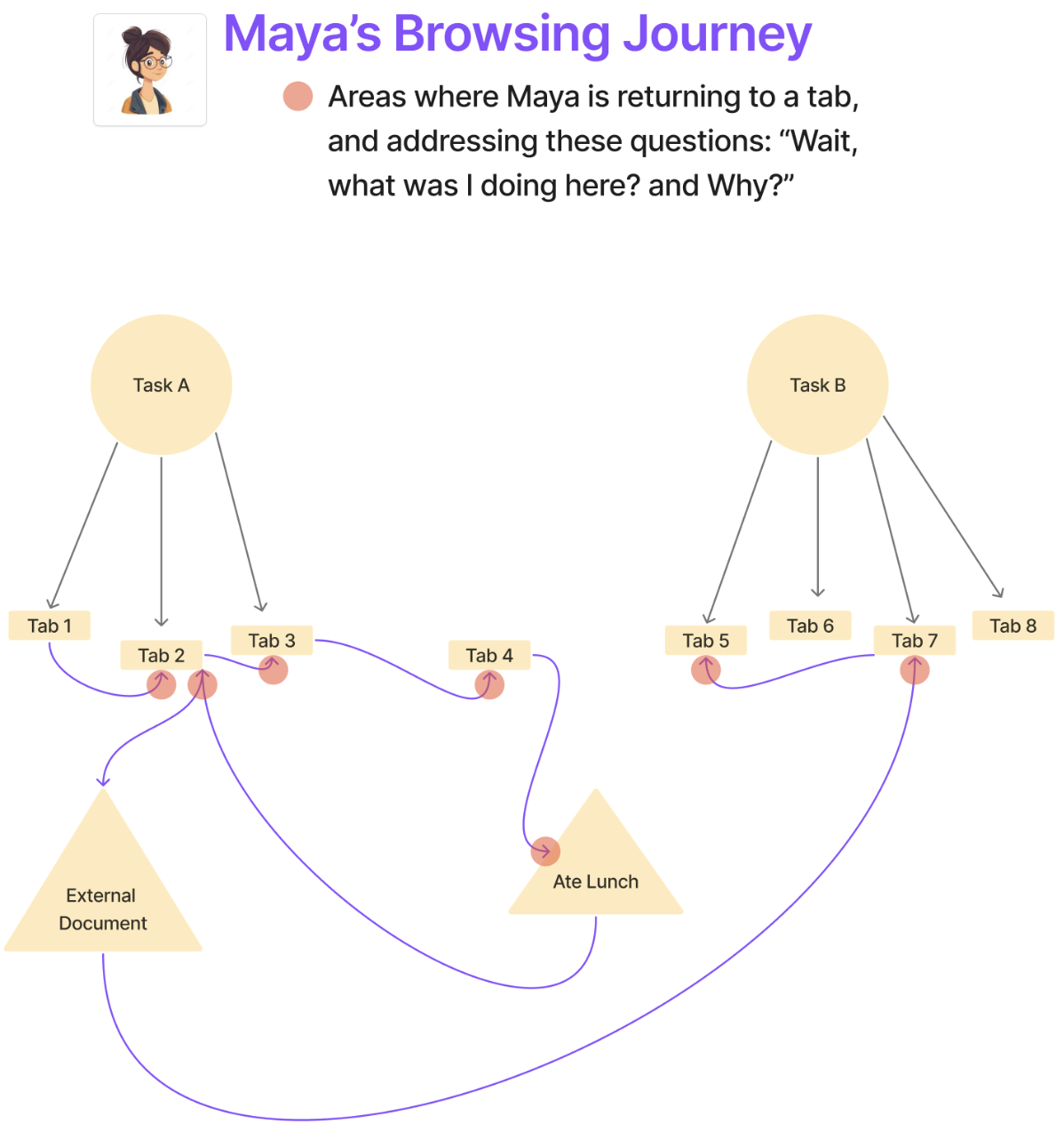
“I was doing a concurrent google search on a task. When returning to the task I see many tabs open for that task, and forgets why I was doing a concurrent google search for that task. What was I trying to find out? Why?”
“I always forget why I open tabs, especially because I am working on so many different projects. I usually try to click through other tabs to find more context.”
Pain Point:
Context loss occurs when users revisit multi-tab tasks and struggle to remember their original intent for each tab.
Insight:
Users rely on context clues such as content on page, tab groups, or external note-taking to understand what they were doing, why, and how to move forward.
How can I improve the way users resume tasks on their web browsers?
This user insight aligns with secondary research, specifically a paper written in 2022 by Kuznetsov et al. Kuznetsov highlights that lightweight visual cues can provide external indicators that help users resume tasks.
Current solutions rely on conscious note-taking, which is unrealistic given that users switch tasks frequently and often subconsciously.
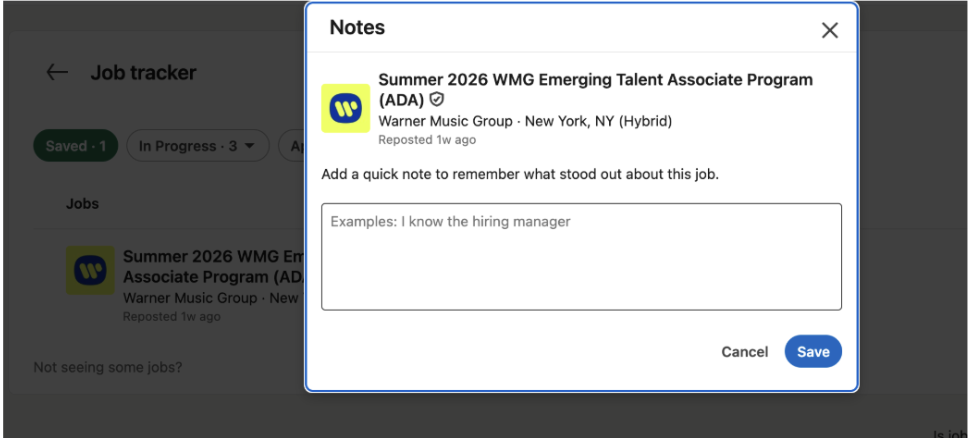
This tool exists on LinkedIn. Users can put in a note to remember why they liked the job posting.
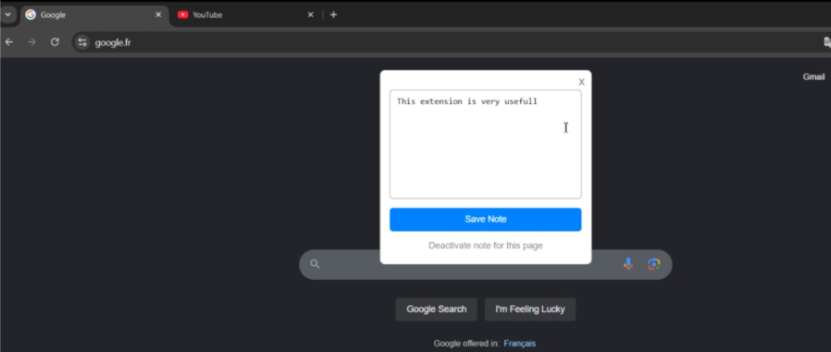
Quick Note Tab is a chrome extension. Users can attach personalized notes to each website they visit.
My solution has….
Lightweight Visual Cues
Passive Storage of Past Actions
Playful Animations
User Control
Data Security and Privacy
Footprints
I built my Chrome extension using VS Code as the code editor, with HTML and JavaScript, and tested it through Chrome Developer Mode on the extensions page.
Footprints is a lightweight visual trail that helps users recall their intent within a tab by showing where they’ve been. When users return to a tab, they typically don’t need a full summary. Instead, they need subtle cues that help them quickly reconstruct what they were doing. By displaying “footprints” across the page, the system surfaces past interactions, acting as memory triggers that guide users to make decisions about how to move forward on that tab.
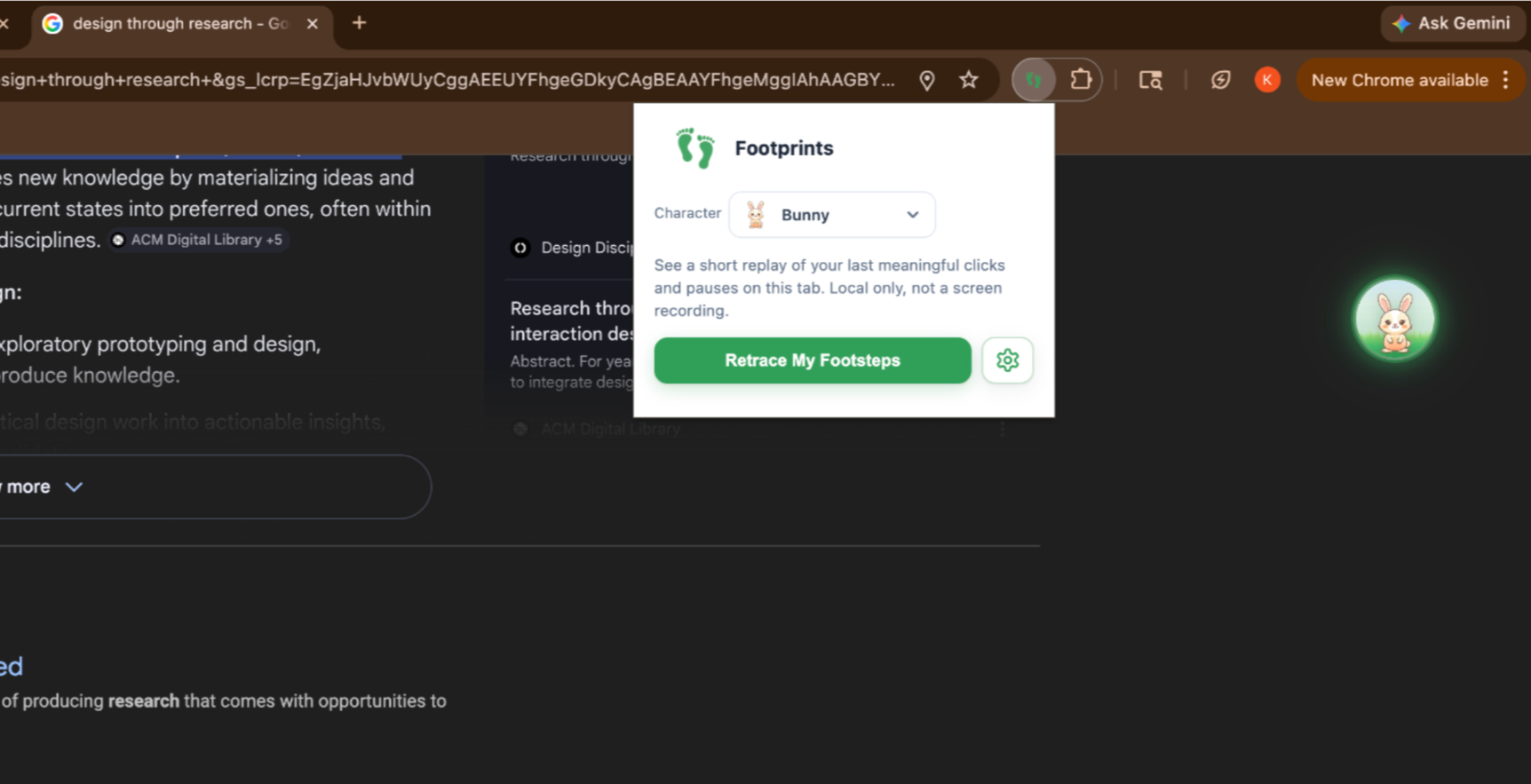
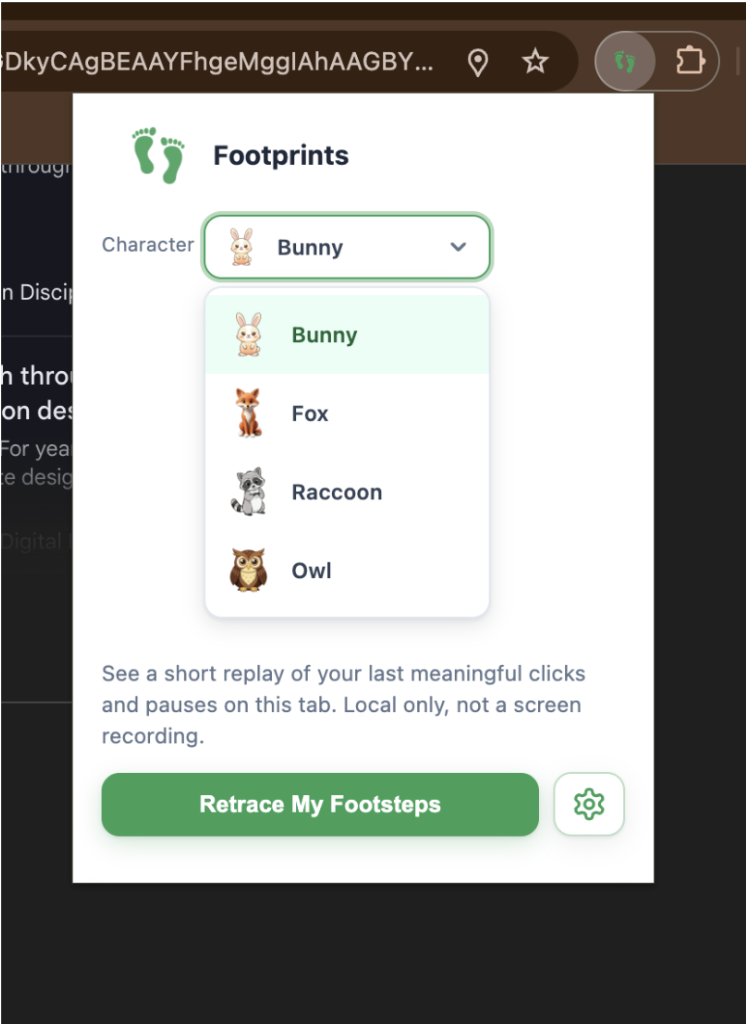
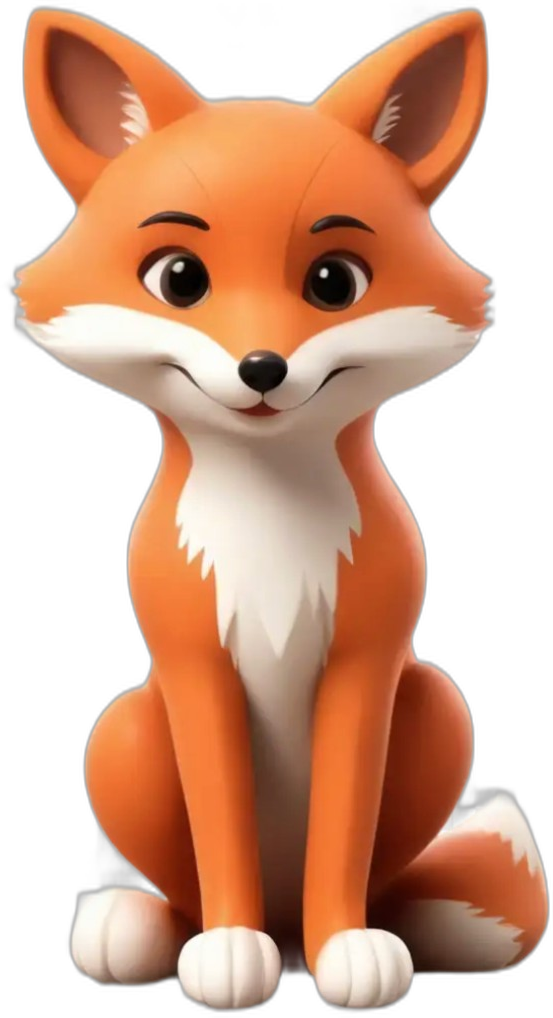
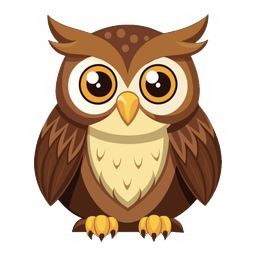
Users can choose different characters as guides to help users retrace their steps.
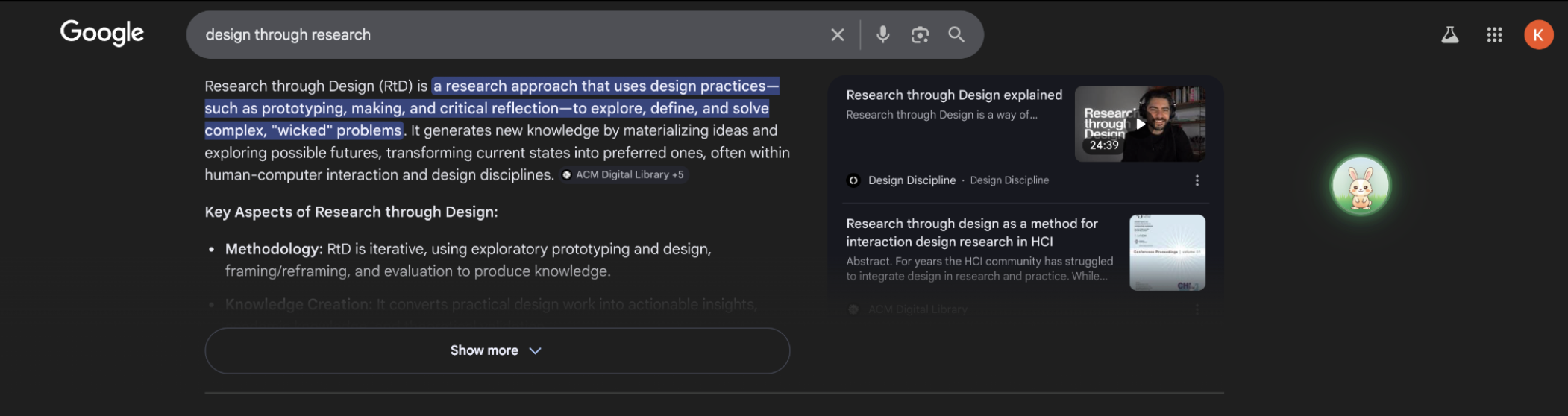
Multiple ways to start and stop retrace including button in extension popup, keyboard shortcut, and widget. Widget that users can press on to start retrace, and press again to stop the retrace. The widget can be dragged anywhere on the screen.

Fun animation of the animal eating while the user is scrolling.
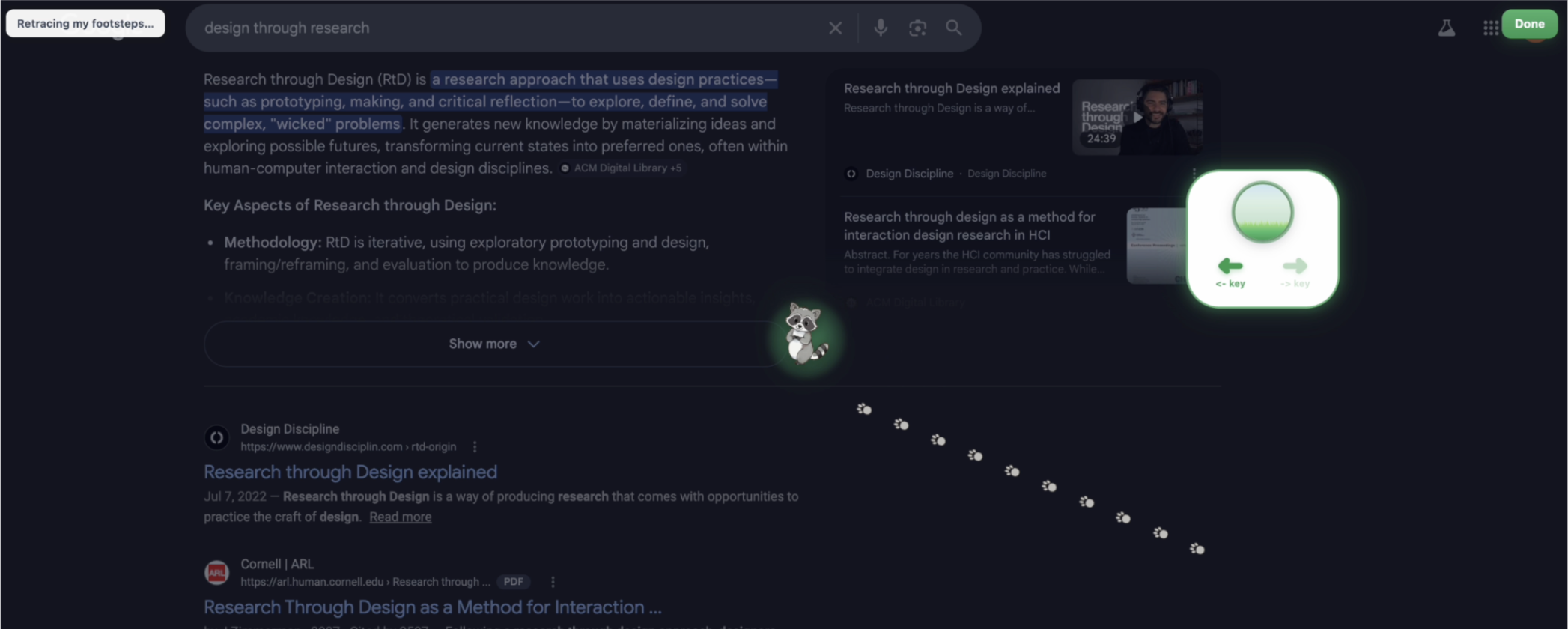
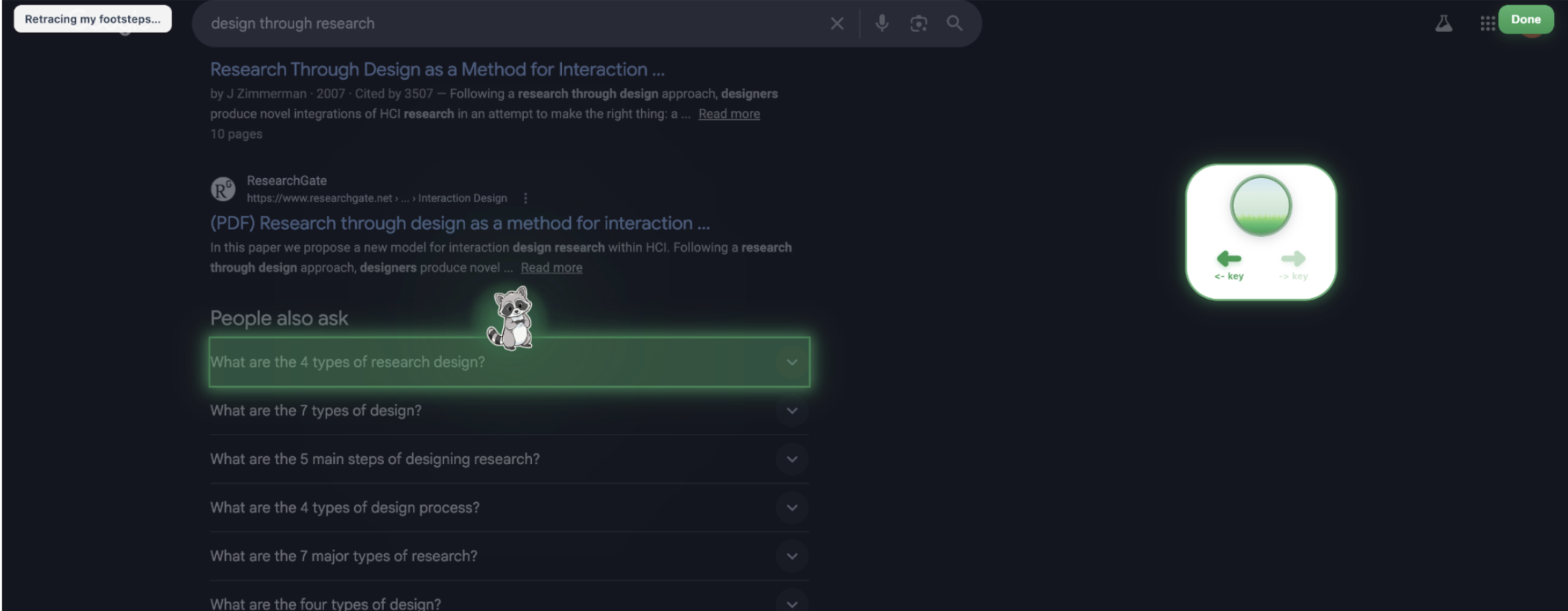
The animal is traveling to the past action the user took. The box on the right represents the animal coming out of the widget to go to the past action location. The arrows are to go back and forth between past actions.
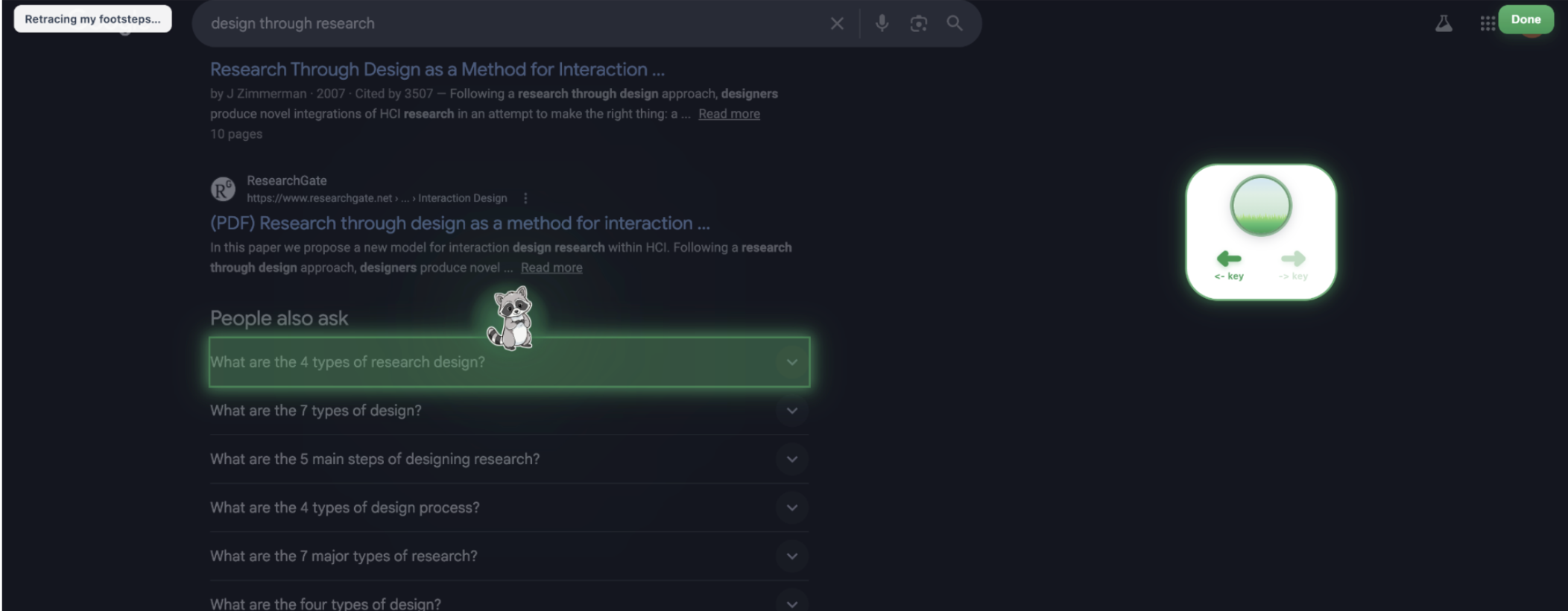
Two types of actions are noted. This is based on the observational study I did in my primary research indicating that user action occurs when they are clicking on something or reading content. Button or field clicks are highlighted. For data privacy, text input is not stored. Scroll pauses more than 5 seconds are illustrated by the animal standing in the middle of the page. I chose 5 seconds as an educated guess I took based off of my observation studies, but more in depth research could be done on this.
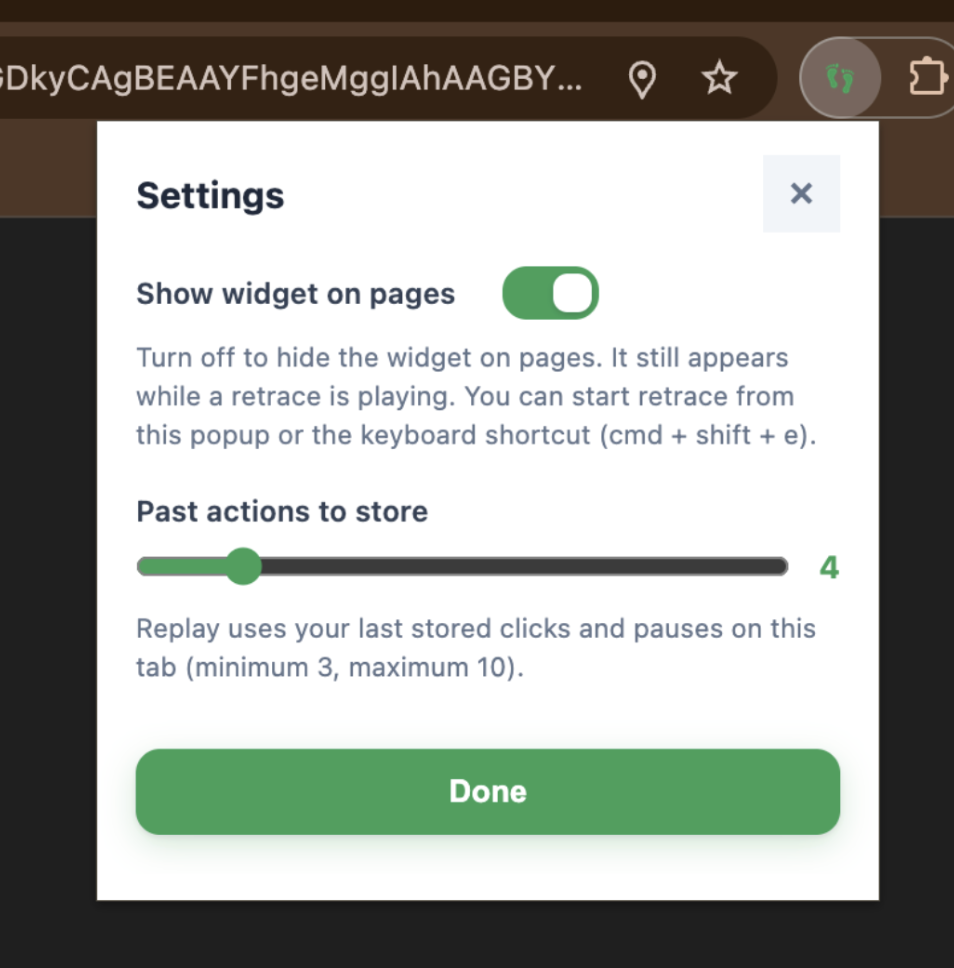
Users can choose whether to display the widget on the screen. They can also choose how many past actions can be stored. This is temporary storage. If the user chooses 4, then that means that the last 4 actions will be stored. The minimum is 3 and the maximum is 10. Users usually retrace the last few steps, so users shouldn’t need more than 10.
Coming to this solution wasn’t easy….
Identified key user pain points and insights through iterative usability testing.
First Prototype
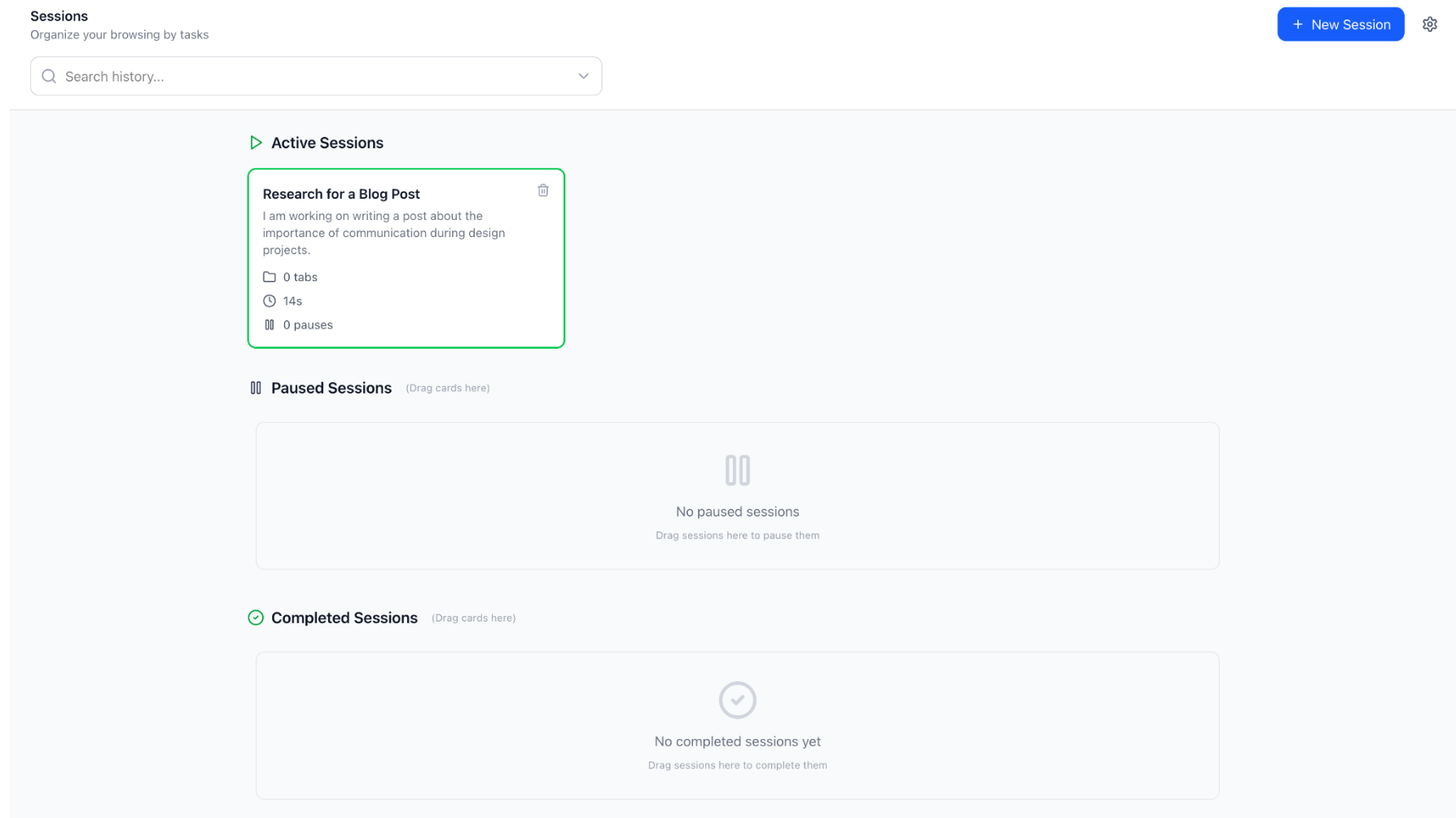
Introducing a separate app disrupts existing workflows, increasing cognitive load, and reducing adoption. Users prefer tools that integrate seamlessly.
This prototype was developed before narrowing the problem scope, resulting in an unfocused attempt to address the broader issue of cognitive strain during task switching.
Second Prototype
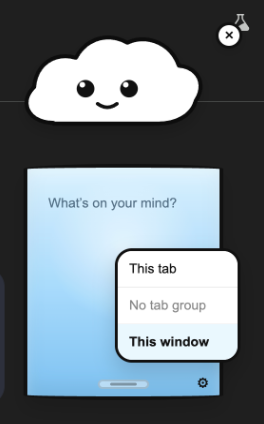
Introducing a chrome extension. A tool that seamlessly integrates into a user’s browser.
In reality, users don’t know what will be important to remember, and interrupting their flow to capture it adds friction. Any effective solution needs to work with this behavior, not against it.
Third Prototype
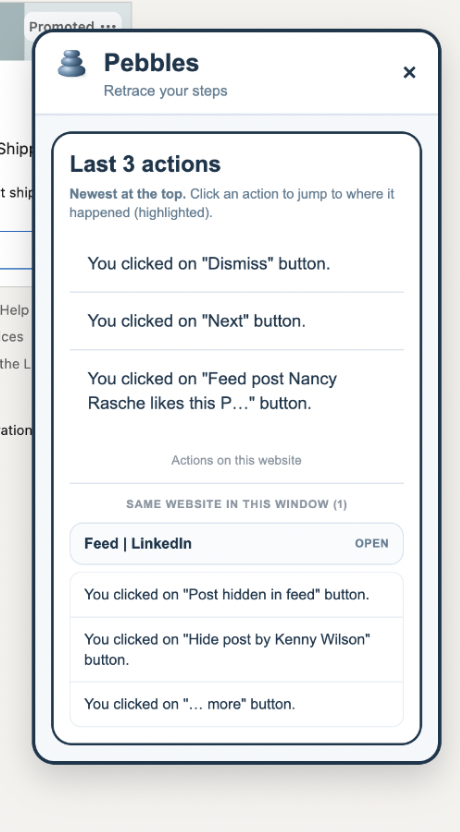
A chrome extension that provides passive capture rather than active capture (such as the second prototype above).
People don’t rely on written notes to resume tasks. Instead, they depend on contextual cues. Users often think, “Oh yeah, I was scrolling here,” or “I remember this layout,” or “I was comparing these two things.” Memory is triggered by visual, spatial, and interaction cues rather than explicit text.


Final Prototype
Based on usability testing with 10 users, my main success criteria for Footprints is met!
The user understands what the tool can do and how it can help them.
The user can easily use the tool in a quick and efficient manner.
The visuals and animations provide engagement, and do not create roadblocks that hinder the understanding or use of the tool.